Mac & iPhone
A private zero-based budgeting app for Mac and iPhone. Import a statement, or let Thrive read the alerts your bank already emails you. It never links to your bank and never asks for a password.
The trade-off you should not have to make
Knowing where your money goes should not cost you control of it. Most budgeting apps require your bank username and password. It goes to an aggregator, and your transactions live on that company’s servers. Thrive never makes that connection.
How this differs from a bank-linked app →Thrive's App Store privacy label reads Data Not Collected. Not minimized. Not anonymized. Not collected.
Check the label on the App Store →Your priorities
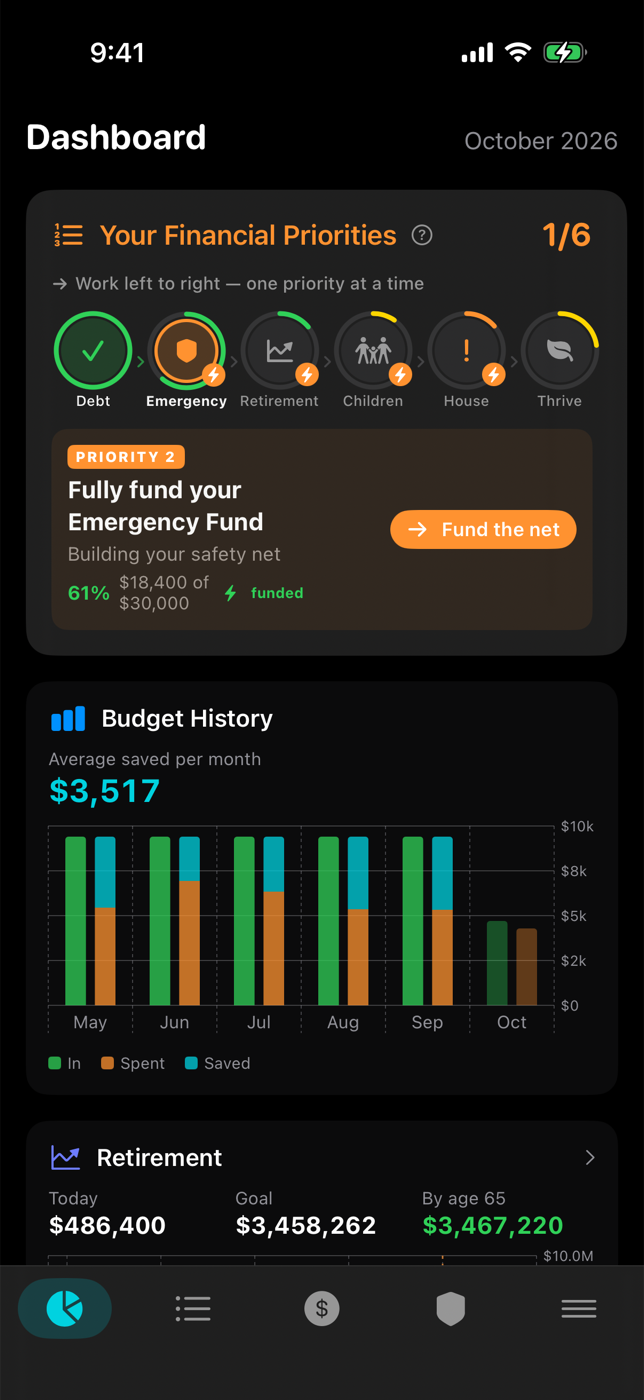
Six priorities. Two come first. Three run together for years.
First, in order
Doing both of these at once does neither of them well.
Everything except the house. Clear what is taking a cut of your income before you build anything on top of it.
Three to six months of what you actually spend, so one bad week cannot undo the first one.
Then these three, at the same time
They run for decades, they come out of the same monthly surplus, and none of them finishes before the others start.
Compounding has decades to work. Thrive projects your real holdings against the age you picked and says whether you are on track for it.
Every education plan measured against its own target, so you can see which ones are on track and which are behind. Skip this one if it does not apply to you.
The mortgage does not pause while you invest, so Thrive tracks the payoff date right alongside the other two instead of pretending it comes later.
Margin with a mission. Nothing owns you, the plan runs itself, and what is left over can go where you want it to go.
Thrive shows where you stand on each one and what it takes to finish it.
The budget
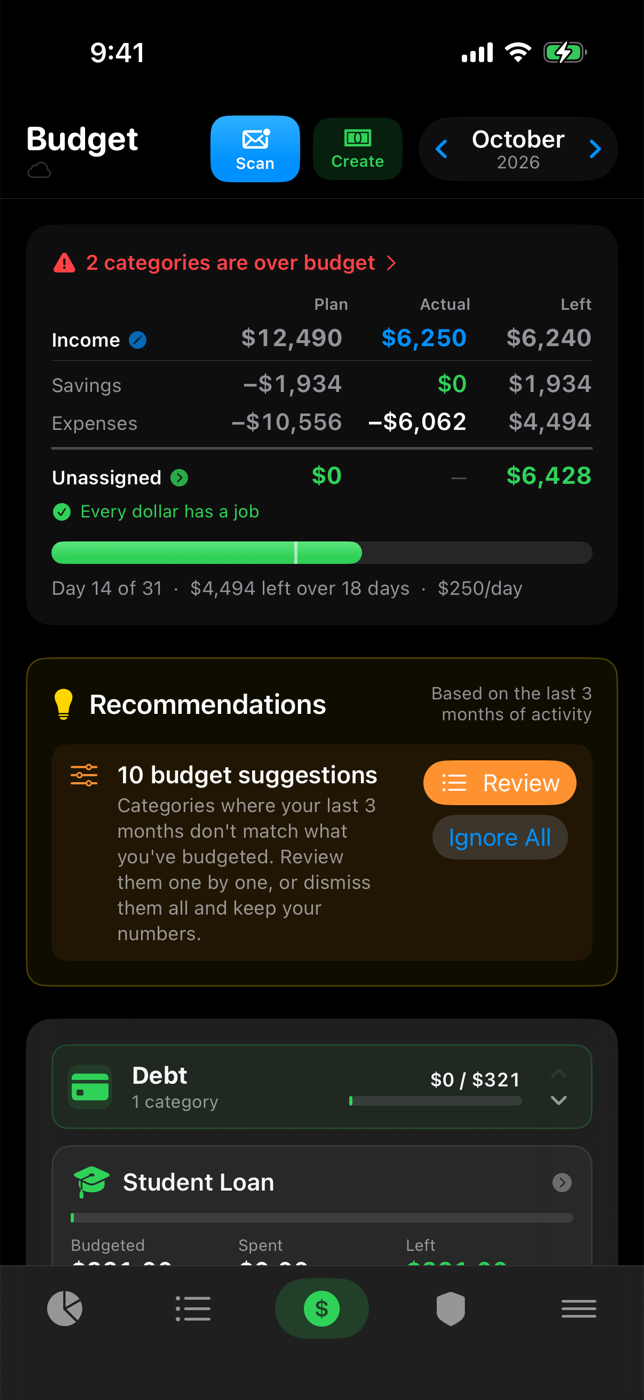
Plan, actual and what is left — across income, savings and expenses. Every dollar assigned, and the daily pace that keeps you on it.
Goals
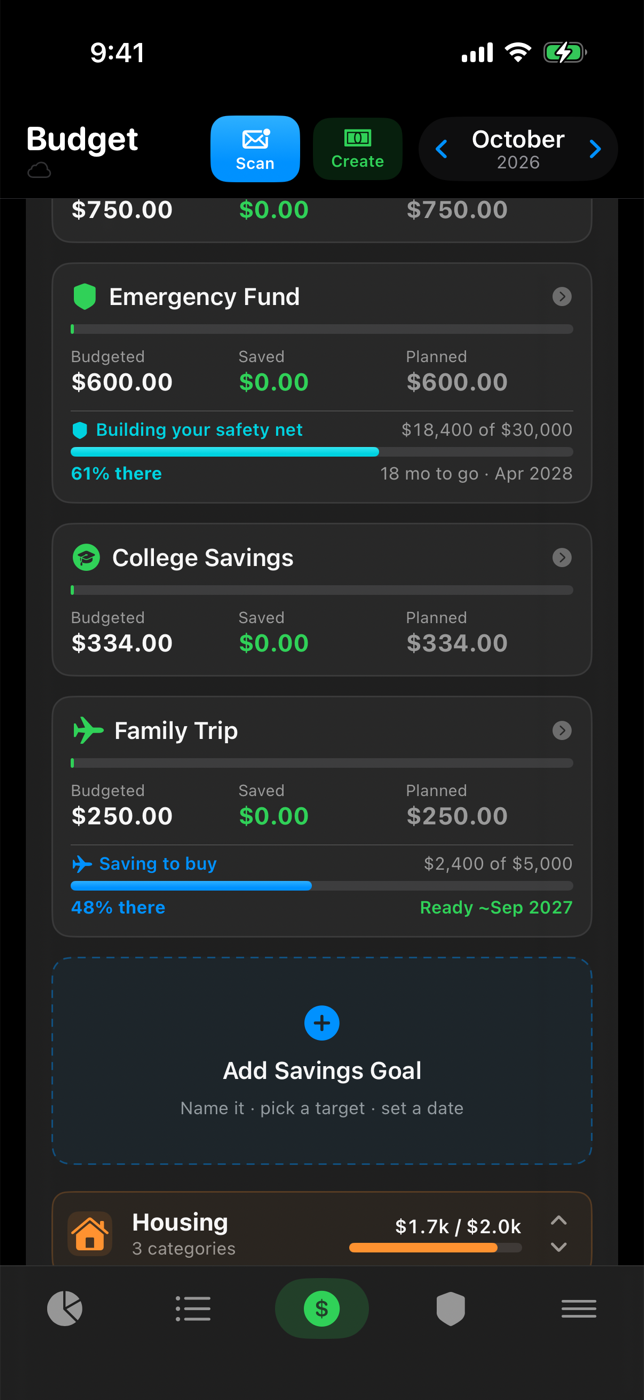
Every savings goal shows how far along it is and the month it finishes, at the rate you are actually funding it.
Transactions
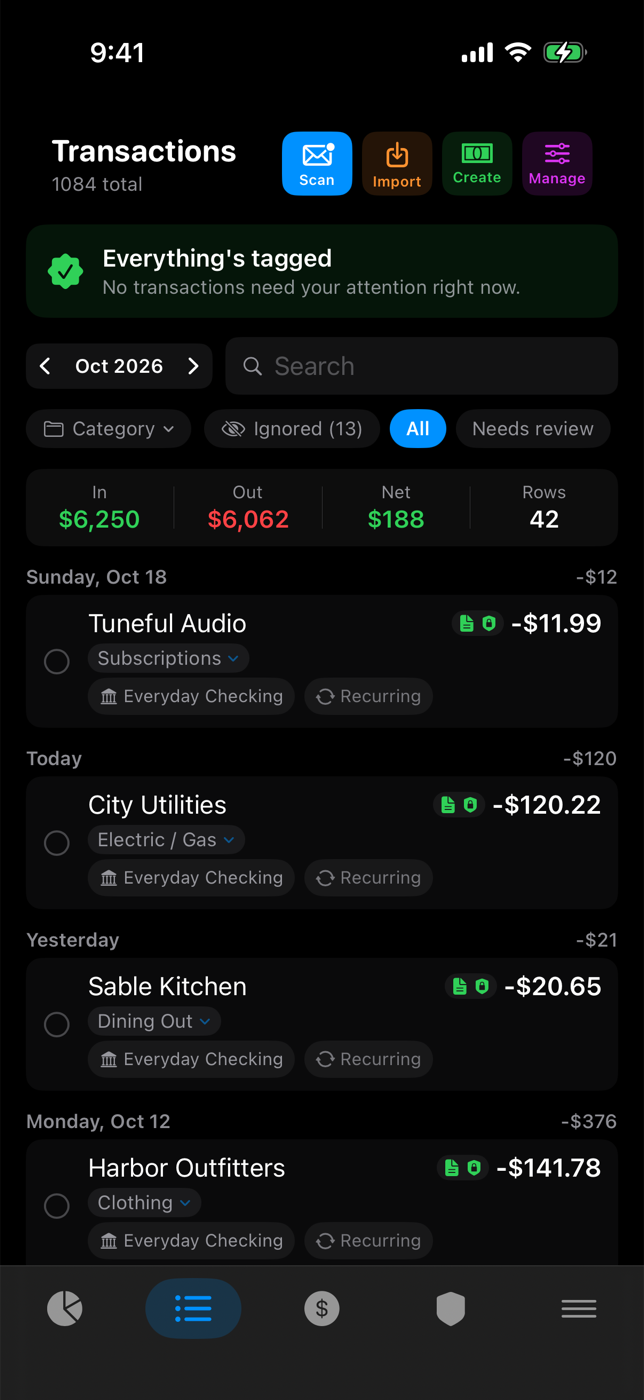
Import a statement. Or switch on email alert reading — optional, off by default, local to your device. Thrive files your bank’s own alerts as categorized transactions, so the app is current when you open it. It keeps four things:
Everything else is thrown away once you confirm the row.
Set a vendor rule once and everything from it files itself after that.
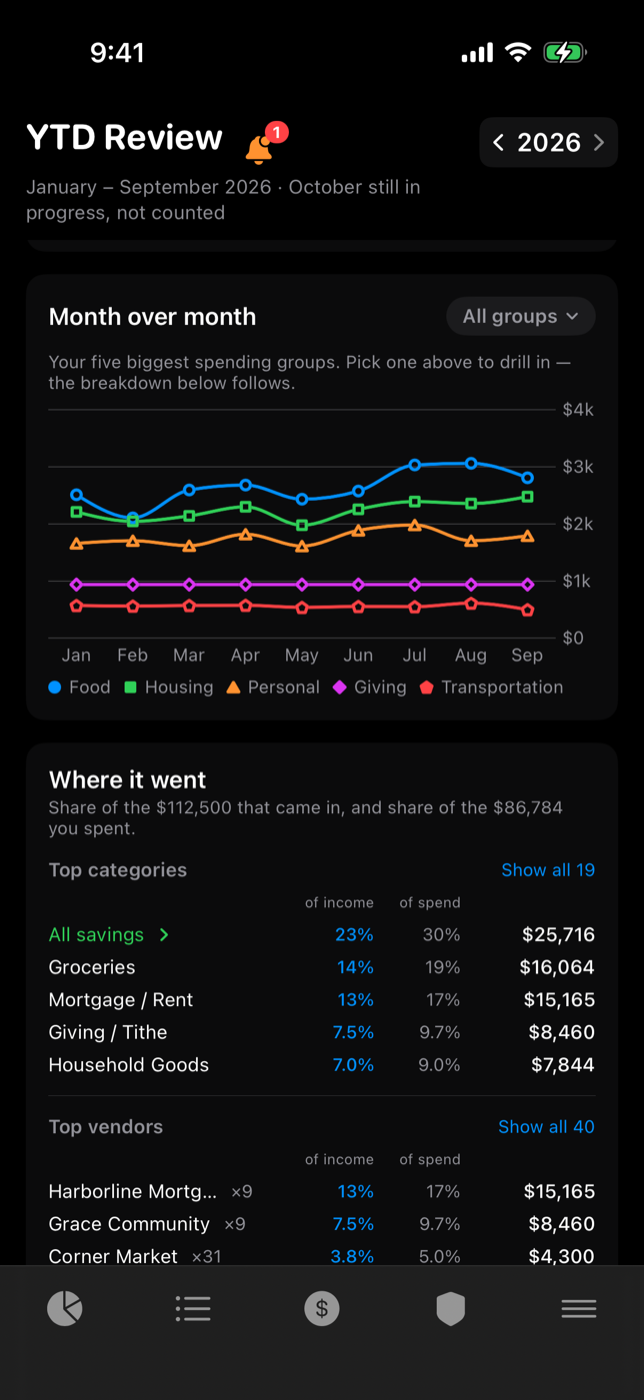
Year in review
Every group and every vendor so far this year, measured against what you earned. Pick any group and the whole page follows it.
How it goes
No bank connection. No password. No company in the middle.
Specifications
Switch iCloud off in Settings and Thrive runs on one device. Nothing is uploaded, nothing is lost. It stops talking to your other devices until you turn it back on.
Your mailbox password lives in the Apple Keychain on the one device you typed it into. Never synced, never sent to us, never shared with your spouse — not even in a shared household.
| Everything below is on your devices | Free | Premium |
|---|---|---|
| Zero-based budgeting, parent categories, daily pace | Yes | Yes |
| Transactions, rules and merchant memory | Yes | Yes |
| Imports — CSV, OFX, QFX, PDF | Yes | Yes |
| Email alert scanning for daily monitoring | Yes | Yes |
| Dashboard, budget history and emergency fund | Yes | Yes |
| Mac and iPhone, synced through your iCloud — or sync off, one device only | Yes | Yes |
| Household sharing — one plan, two Apple IDs, no shared password | — | Yes |
| Retirement projections and scenarios | — | Yes |
| Children's savings and 529 projections, per child | — | Yes |
| Real estate, mortgage and payoff tools | — | Yes |
| Year in review with vendor and trend drill-down | — | Yes |
| Price | $0, forever | $8/mo — or $65/yr, saving 32% |
Seven-day free trial inside the app, no payment up front. A year is $65 against $96 bought a month at a time. Household sharing needs Premium on your side only; the spouse you invite pays nothing.
Every dollar assigned, the daily pace clear, and no bank login handed to anyone. The core app is free forever; Premium is $8 a month, or $65 a year and save 32%, after a seven-day free trial.
Download Thrive freeYour numbers stay on your devices.
 Beacon