Private zero-based budgeting for your Mac and iPhone. Nothing is left unplanned, one budget is shared with your spouse, and it all syncs through your own iCloud — nothing ever passes through us.
Free forever for the core toolkit. Premium unlocks deeper planning tools for $8/mo — with a 7-day free trial in-app.
We never ask for your bank password. Our App Privacy label reads “Data Not Collected.”
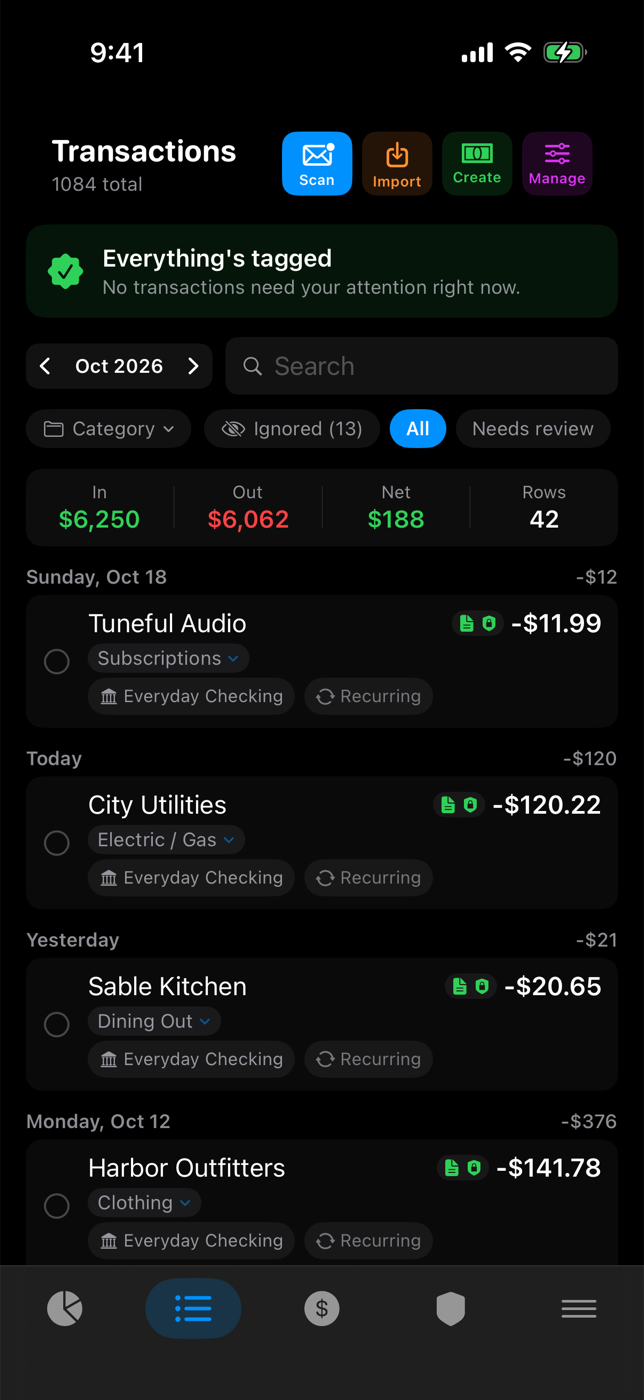
Import a file, or let Thrive read the transaction alerts your bank already emails you.
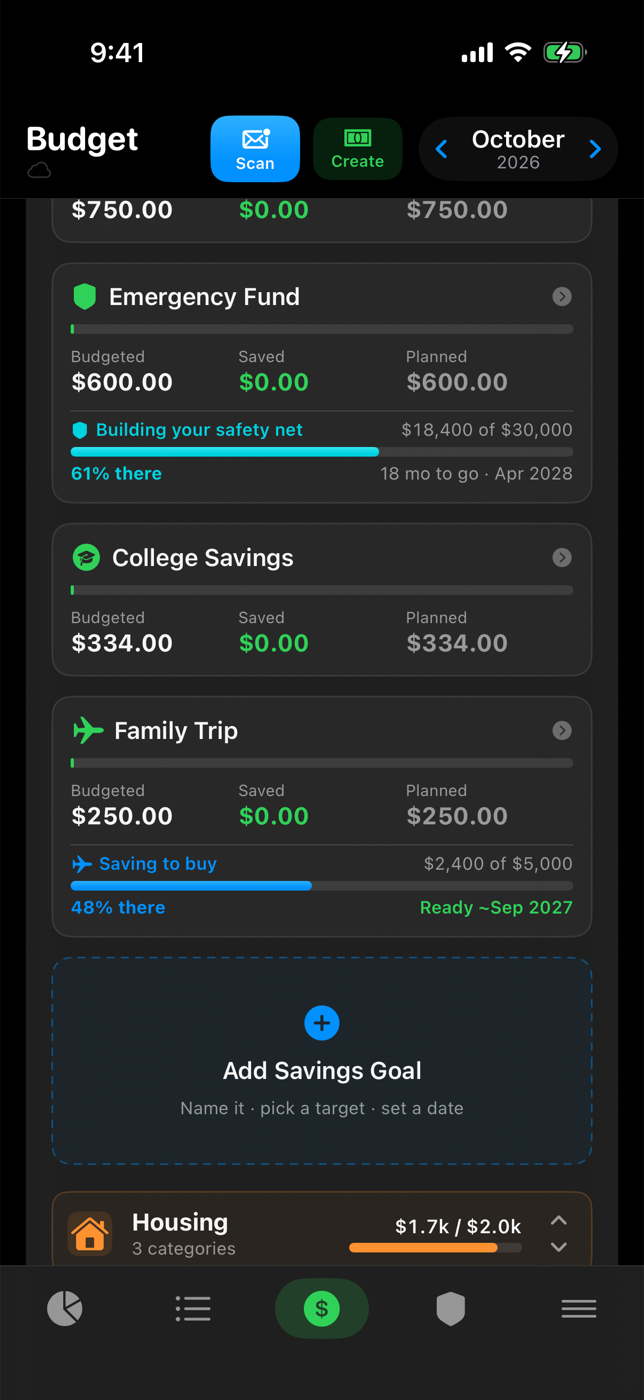
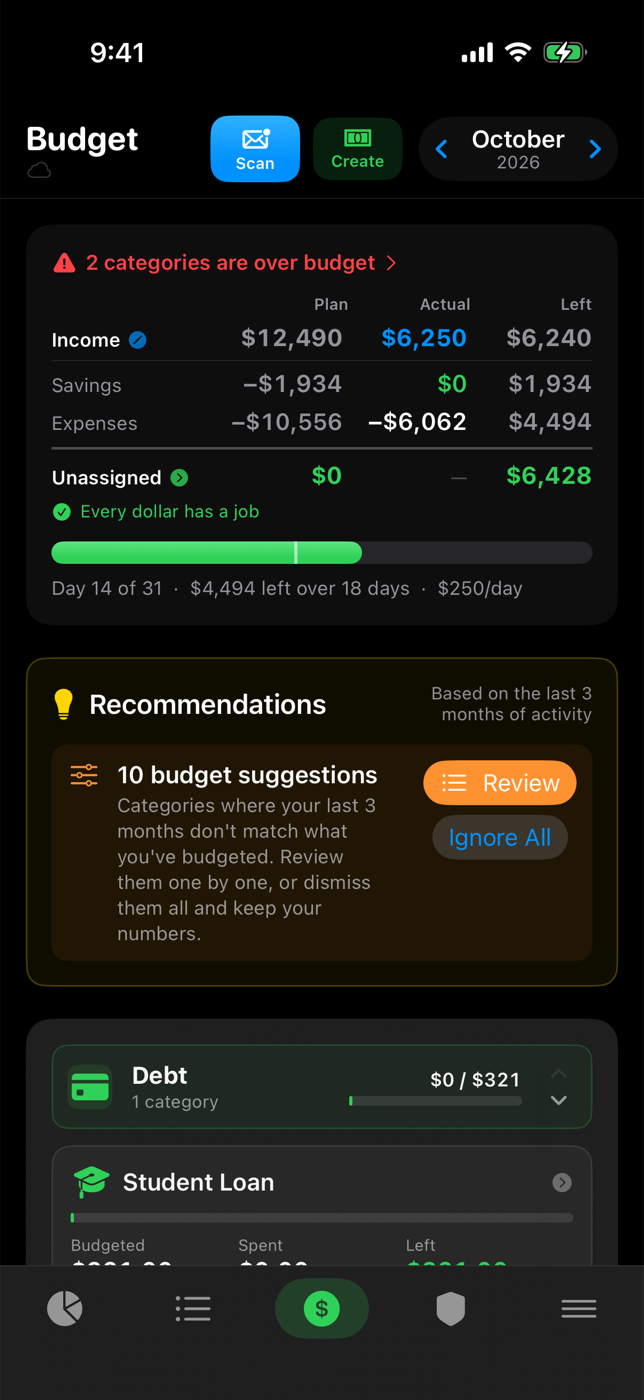
Income planned to the last cent — and the daily pace that keeps you on it.
Share the whole picture with your spouse — two Apple IDs, no shared password.
Every child, every 529, and what it takes to get there before they start.
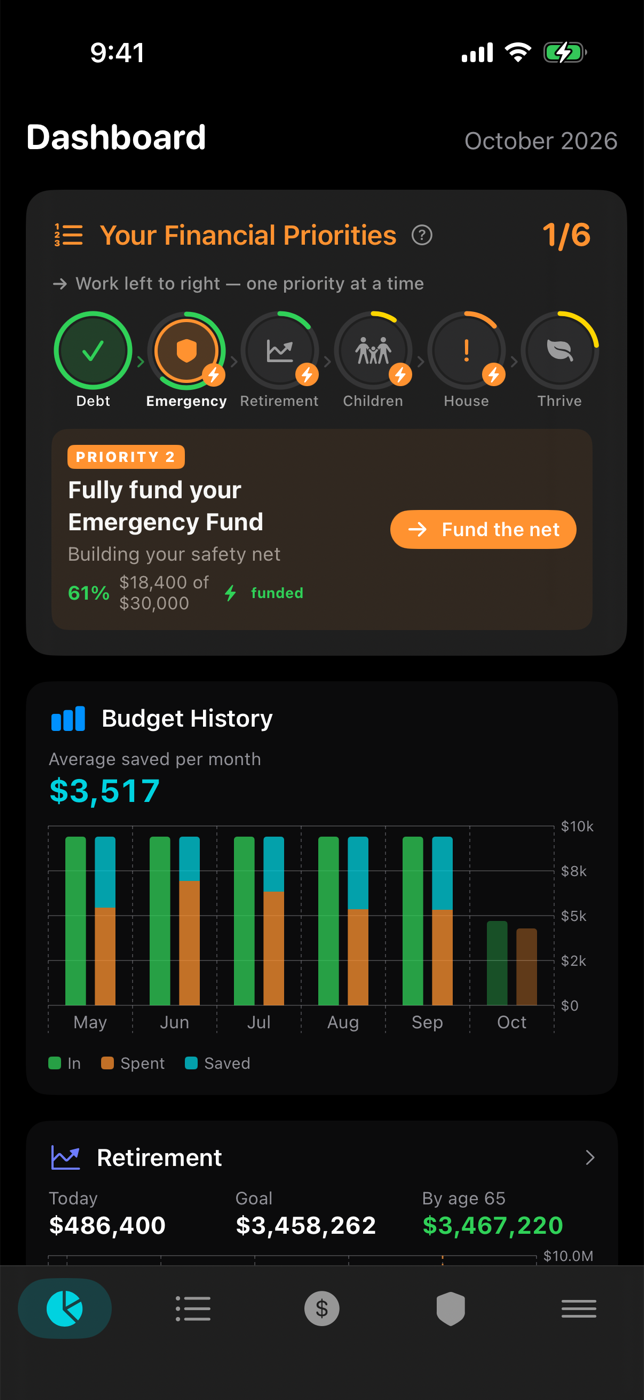
Real holdings and real returns, against the age you actually picked.
Don't take our word for it
Every app on the App Store carries an Apple-verified App Privacy label. Most budgeting apps' labels list data used to track you and data linked to you — your finances are their product. Thrive's label reads "Data Not Collected." Not minimized. Not anonymized. Not collected.
See Thrive's privacy label on the App Store →From zero to a budget
No sign-up, no account, and nothing to connect. Thrive walks you through this the first time you open it — here is the whole thing, start to finish.
Log in to your bank, choose “Export” or “Download transactions,” and pick CSV. One account is enough to start. That is the entire connection — no bank linking, ever, and no password to hand over.
Thrive reads the file and sorts the spending into categories on the way in. Most of it is already tagged before you look — you are reviewing, not typing.
Let Thrive read the transaction alerts your bank already emails you, so spending stays current all month instead of only when you remember to export. Works with Gmail, iCloud, Outlook, Yahoo, Fastmail, AOL — any IMAP inbox. This is what keeps the whole thing effortless: without it you are back to exporting a CSV by hand every month.
Rename, move, or add categories and the parent groups that hold them. Every merchant you tag is remembered, so the same store sorts itself next time. A few minutes here is what makes every later month automatic.
Thrive drafts a zero-based budget from your real numbers, so every dollar of income has a job and the month balances to zero. Invite your spouse and you are both looking at the same plan — two Apple IDs, no shared password.
After that it mostly runs itself. New spending arrives categorized from your email scan, recurring bills are set aside automatically, and the budget rolls forward each month — you adjust rather than rebuild.
The same budget on the big screen
Not a website in a wrapper — a real Mac app for the deep work: statement imports, retirement scenarios, mortgage payoff, and the annual review. Swipe or use the arrows.
We never ask for your bank password. Our App Privacy label reads “Data Not Collected.”
Import a file, or let Thrive read the transaction alerts your bank already emails you.
Give your income a job down to the last cent, and hold the daily pace.
Two Apple IDs, no shared password, no account to create.
Real holdings and returns, projected against the age you want to stop.
Equity, payoff date, and what one extra payment a month really buys.
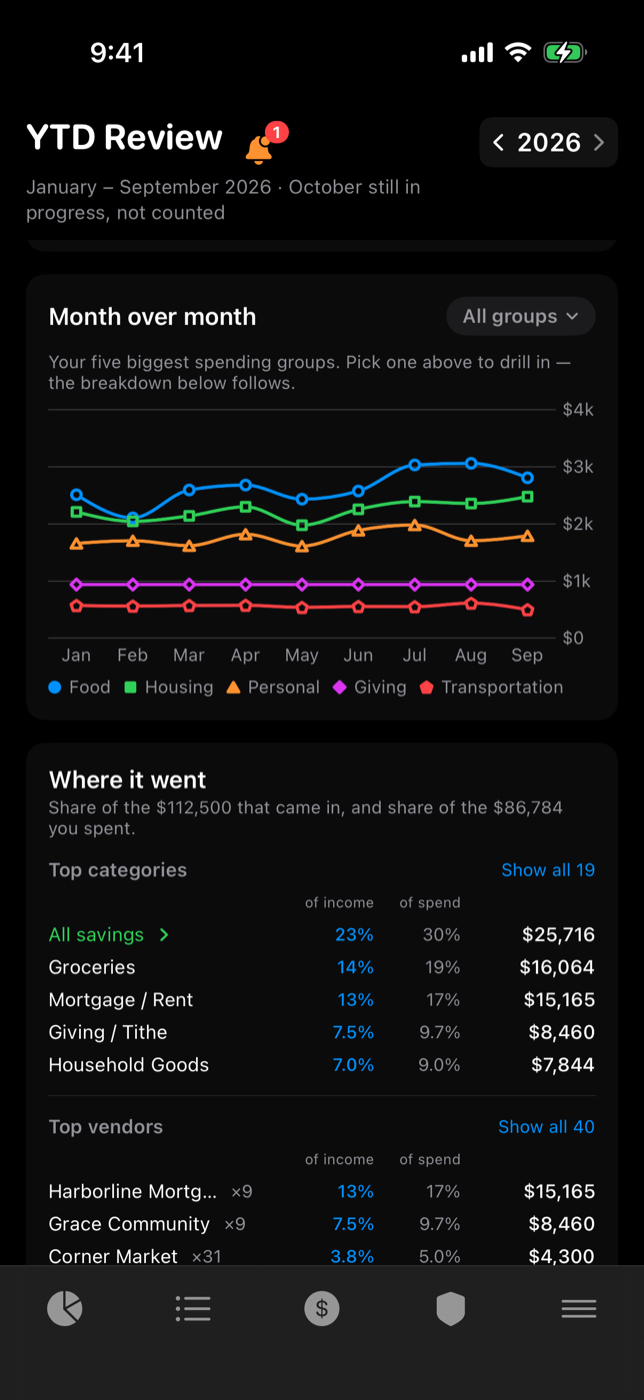
What came in, what went out, what you kept — and where it went.
$0 — forever
Free on the App Store • Upgrade to Premium anytime
$8/mo — billed monthly, cancel anytime
Unlocked inside the app. We never see your information.
This is the foundation of every tool we create.
Your financial information lives on your devices and syncs only through your own private iCloud — Apple's encrypted database that we cannot read. There's no Beacon server: we never receive, store, or have access to any of it.
You do not need to create an account with us. You do not need to upload your information. Optional features such as local import keep everything under your control on your device.
Our tools do not track your activity, build profiles, or send data back to us. This is a deliberate design choice, not a setting you have to enable.
Household Sharing is here: invite your spouse to the same budget from their own Apple ID, peer-to-peer through iCloud. Same view, same numbers, no shared login — and it follows the same rule as everything else: we never see your data.
Import files from your own sources when you want to. We have no visibility into the data you choose to work with.
We build this way because we believe in looking after the people who use our tools. Your data is yours. We treat it that way.
Download the free app, then unlock Premium for $8/mo whenever you're ready. Either way, your data stays in your own private iCloud — never on our servers.
One app for Mac (macOS 14 Sonoma or later) and iPhone (iOS 18+) — download it on each device from the App Store, and the same iCloud account keeps them in sync.
Install the free app. Every core budgeting feature works immediately — no account needed.
When you want the deeper planning tools, head to the Premium section in the app.
Tap Subscribe — billing is handled securely by Apple, and the planning tools unlock instantly.
Premium is $8/month, billed monthly — cancel anytime. You unlock it right inside the app, and your information stays in your own private iCloud.
No separate account needed. Billing runs through your Apple ID; we never see or store your card details.
Coming soon: subscribe to Premium directly on the web. For now, Premium is available right inside the app.
Questions? Email support@beacondigitalsolutionsllc.com.
Yes. The core zero-based budgeting toolkit — budgets, transactions, imports, dashboard, annual review — is free forever, with no account and no ads. Premium ($8/mo) adds retirement, education, and real-estate planning tools, with a 7-day free trial in-app.
No — by design. You never hand over bank credentials. Import transactions from the CSV, PDF, or OFX files your bank already gives you, or connect your inbox and let Thrive read the transaction-alert emails your bank already sends you. Nothing about your accounts ever touches our servers, because we don't have any.
On your device, and synced between your Mac and iPhone through your own private iCloud (Apple's encrypted CloudKit). There is no company server, no account with us, and no analytics or tracking of any kind.
Each dollar of income gets assigned a job — giving, bills, savings, spending — until income minus assignments equals zero. It's the proven method behind envelope budgeting, and it's the fastest way to know exactly where your money goes.
Four things. Privacy: most budgeting apps link your bank and hold your finances on their servers — Thrive never does either; your data stays on your Apple devices and your private iCloud, and our App Privacy label reads "Data Not Collected." Family: Household Sharing gives you and your spouse one budget from separate Apple IDs — no shared login, and joining is free. Native: a real Mac app and iPhone app, not a website in a wrapper. Stewardship: Giving/Tithe is a first-class category, and the tools treat money as something you manage faithfully, not just optimize.
Yes — Household Sharing is built in. Create a household in Settings, send your spouse an invite link, and they join from their own Apple ID. You both see and edit the same budget, synced peer-to-peer through iCloud — no shared password, no separate account, and nothing passes through our servers. Sharing is included with Premium; joining a household is always free for your spouse.
Thrive is built around Christian stewardship — being faithful with what you've been given. Giving comes first in the default budget, and the monthly review is encouraging rather than shaming. That said, it's a full-featured budgeting app anyone can use.
LEARN AS YOU GO
Short, practical videos showing exactly how to set up your budget, import transactions, run a monthly review, and use the Premium planning tools — all while keeping everything private.
Browse the video library